TechJano · Utility Intelligence

Know what's below.
Before you dig.

Utility mapping, digital 811 dig tickets, and crane safety — in one offline-first iOS app. Built by people who've stood in the trench.

0
One-tap tickets
0
OSHA standards baked in
0
“Safe-to-dig” promises
0%
Offline-capable
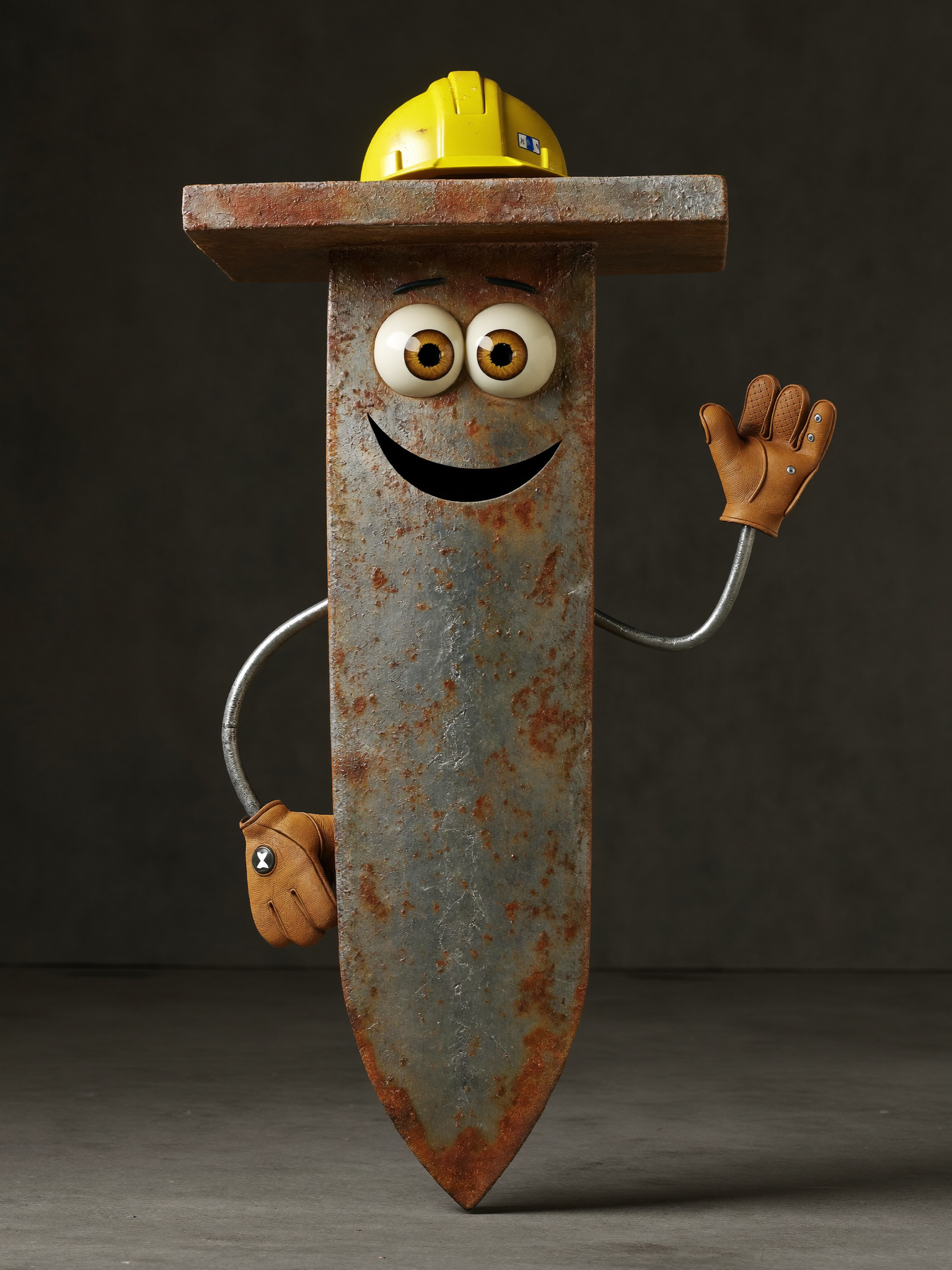
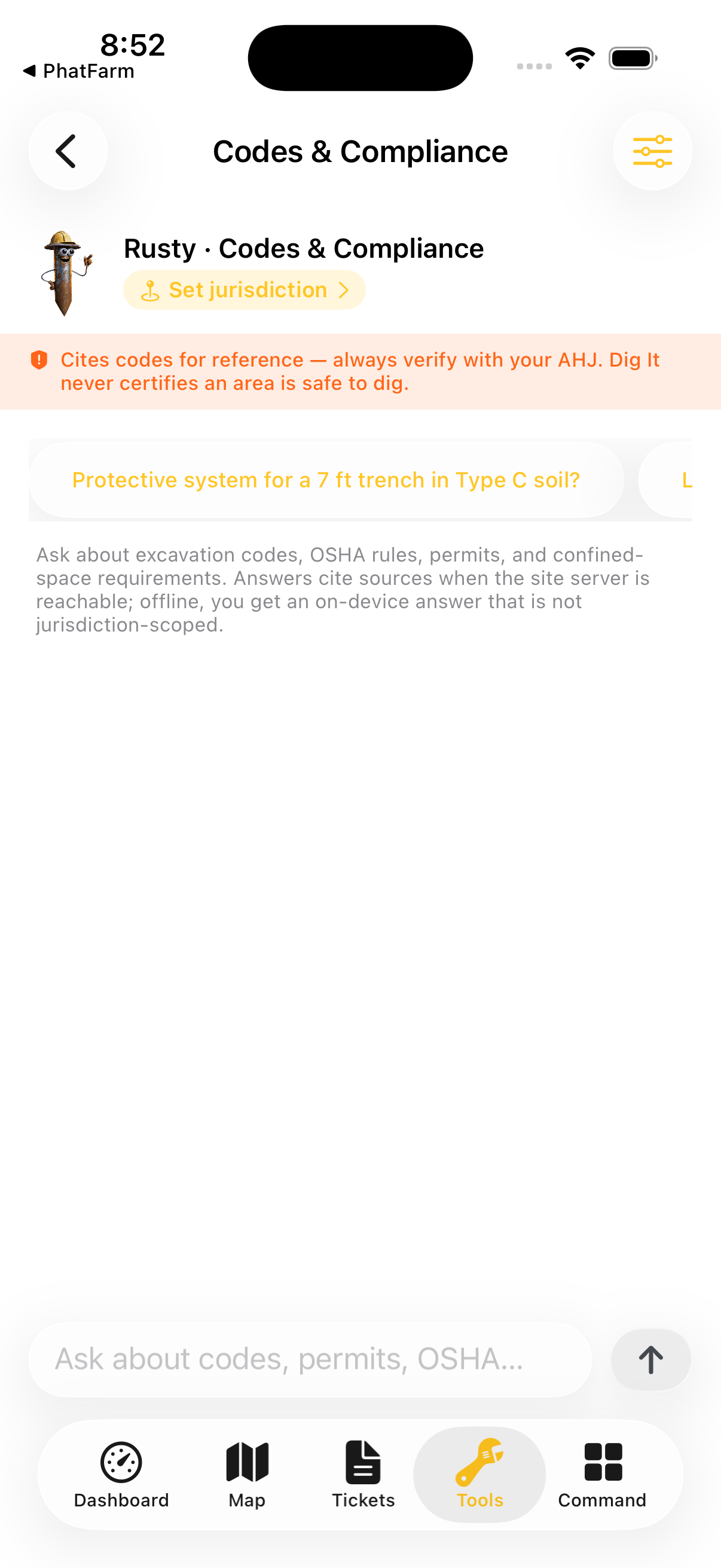
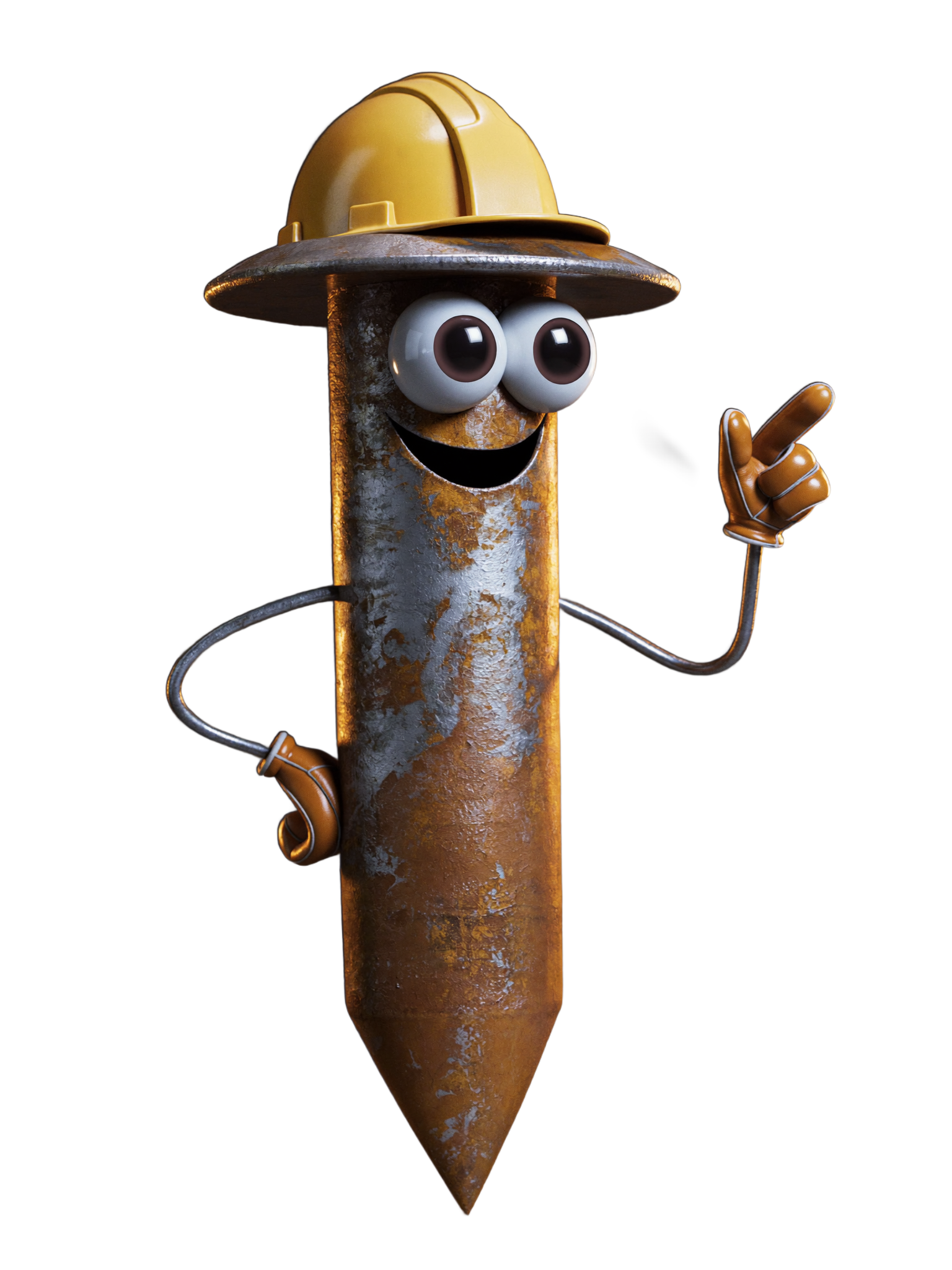
Rusty — a weathered rusty-nail character in a yellow hard hat, the Dig It field co-pilot Rusty · Field Co-pilot
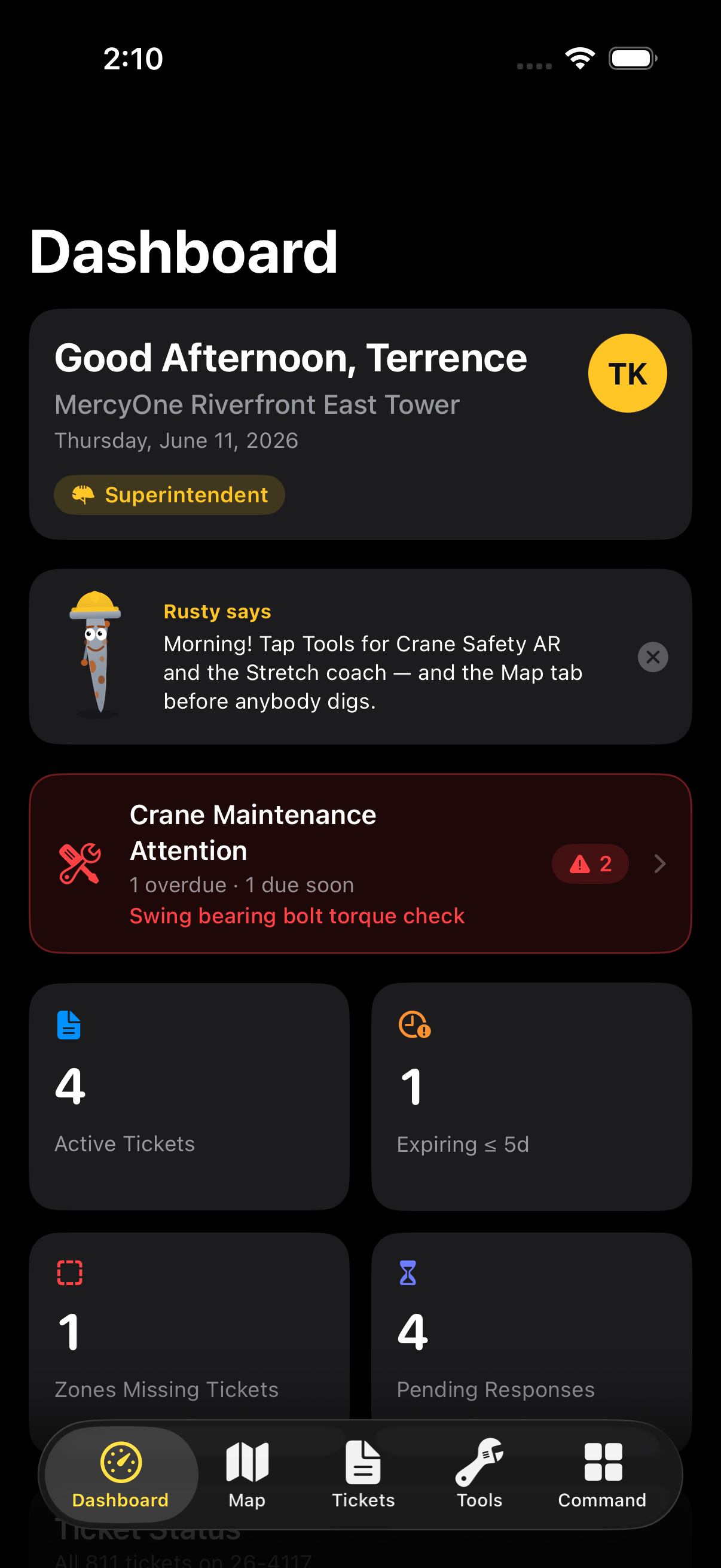
Dig It dashboard on iPhone — site overview with ticket status, risk score, and crew readiness
Dig It never says “you're safe to dig.” It says: here's the evidence — the ticket, the risk score, the checklist, and the signoff trail.
The product principle · everything below is built on it
Built for the trench

Evidence on every screen.

Six tools, one habit: before the bucket drops, the crew sees the ticket, the colors, the checklist, and the score. No guesswork dressed up as confidence.

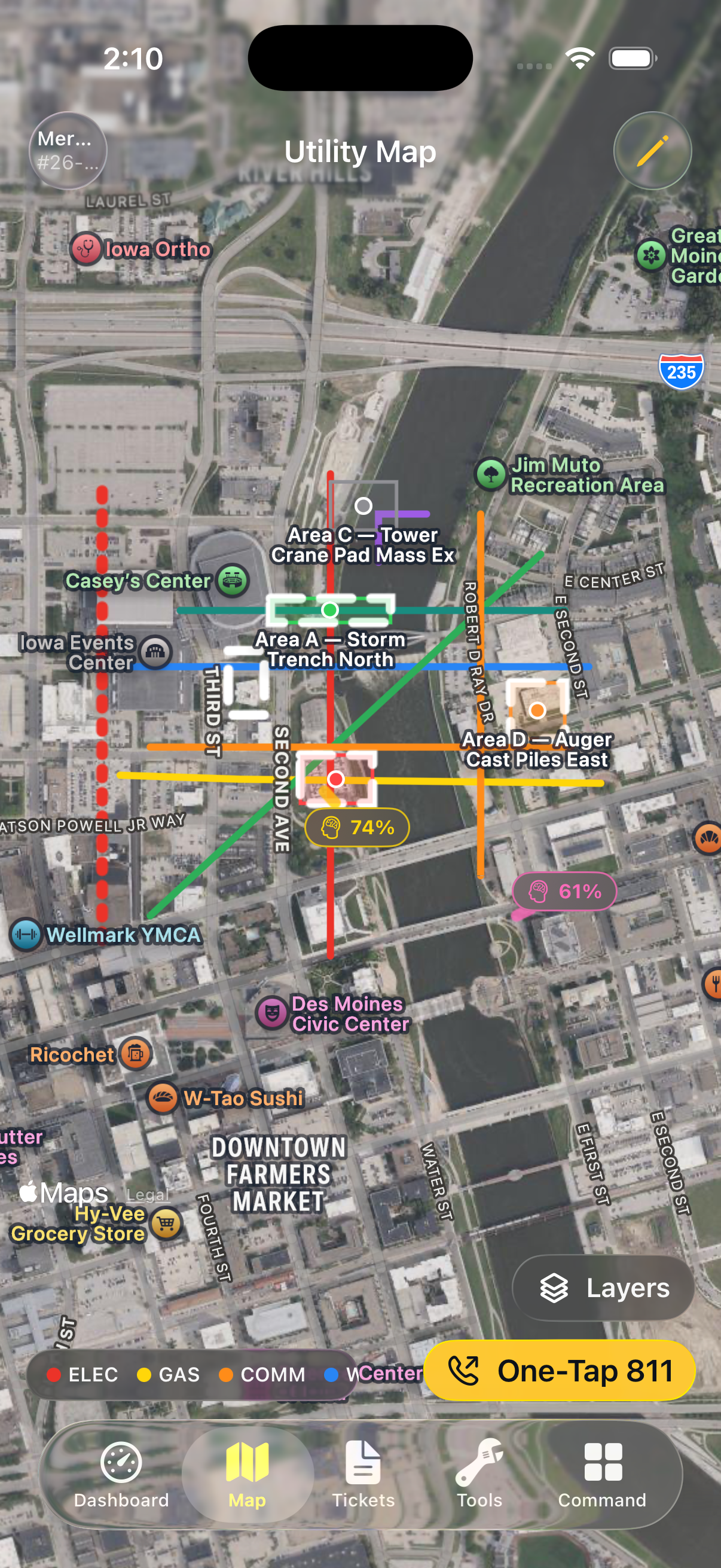
Utility Map

Every line. Every color. APWA-coded.

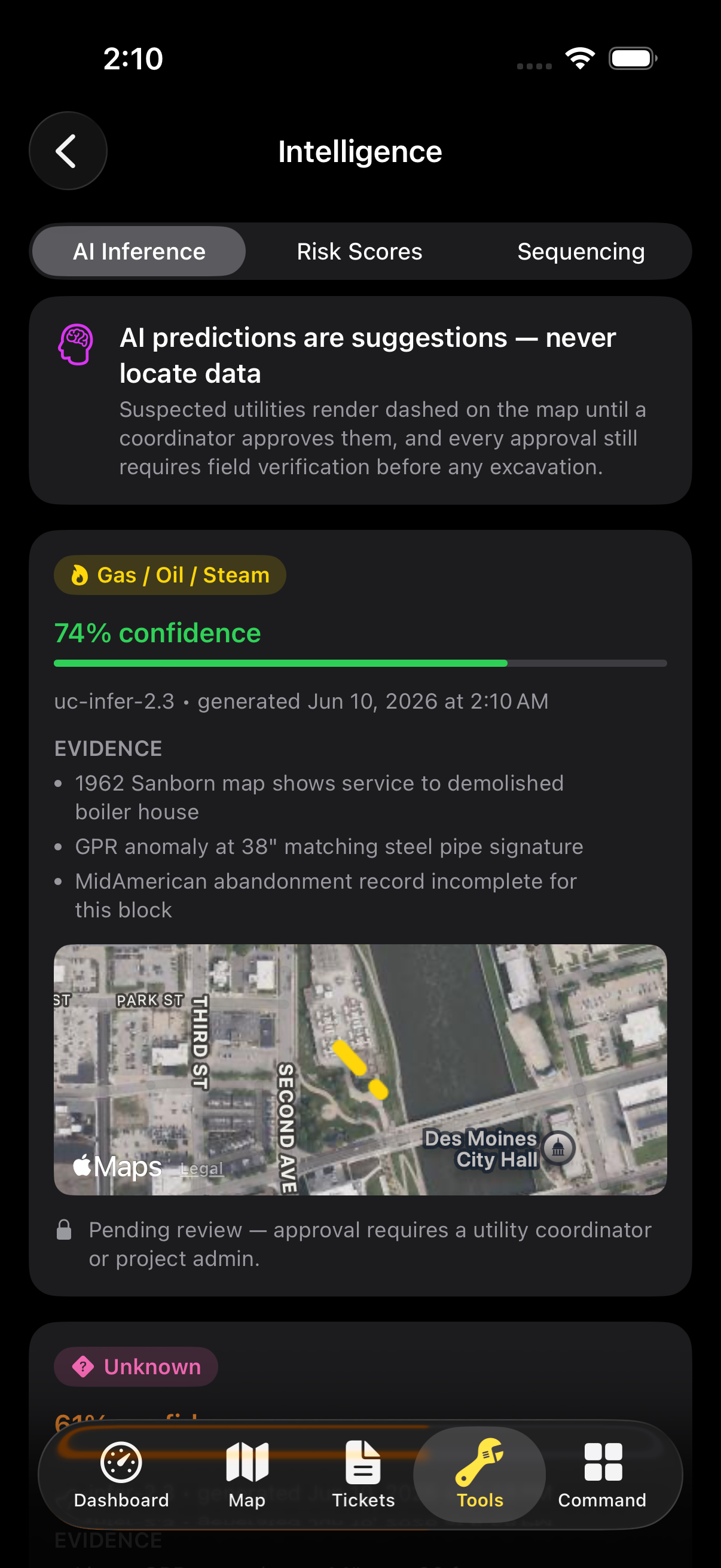
Gas in yellow, electric in red, comms in orange — the full APWA standard rendered on a live site map, with AI-suspected lines flagged separately so nobody confuses a guess with a locate.

Color codeAPWA standard
AI linesconfidence-scored
Worksfully offline
  • Confirmed locates and AI-suspected lines are visually distinct — suspicion never masquerades as fact
  • Tap any line for depth, material, source, and the evidence behind it
  • On-device inference — the map works in a dead zone at the bottom of the hole
Dig It utility map — APWA color-coded utility lines over a site map with AI-suspected lines flagged
811 Dig Tickets

One tap. One ticket. Zero excuses.

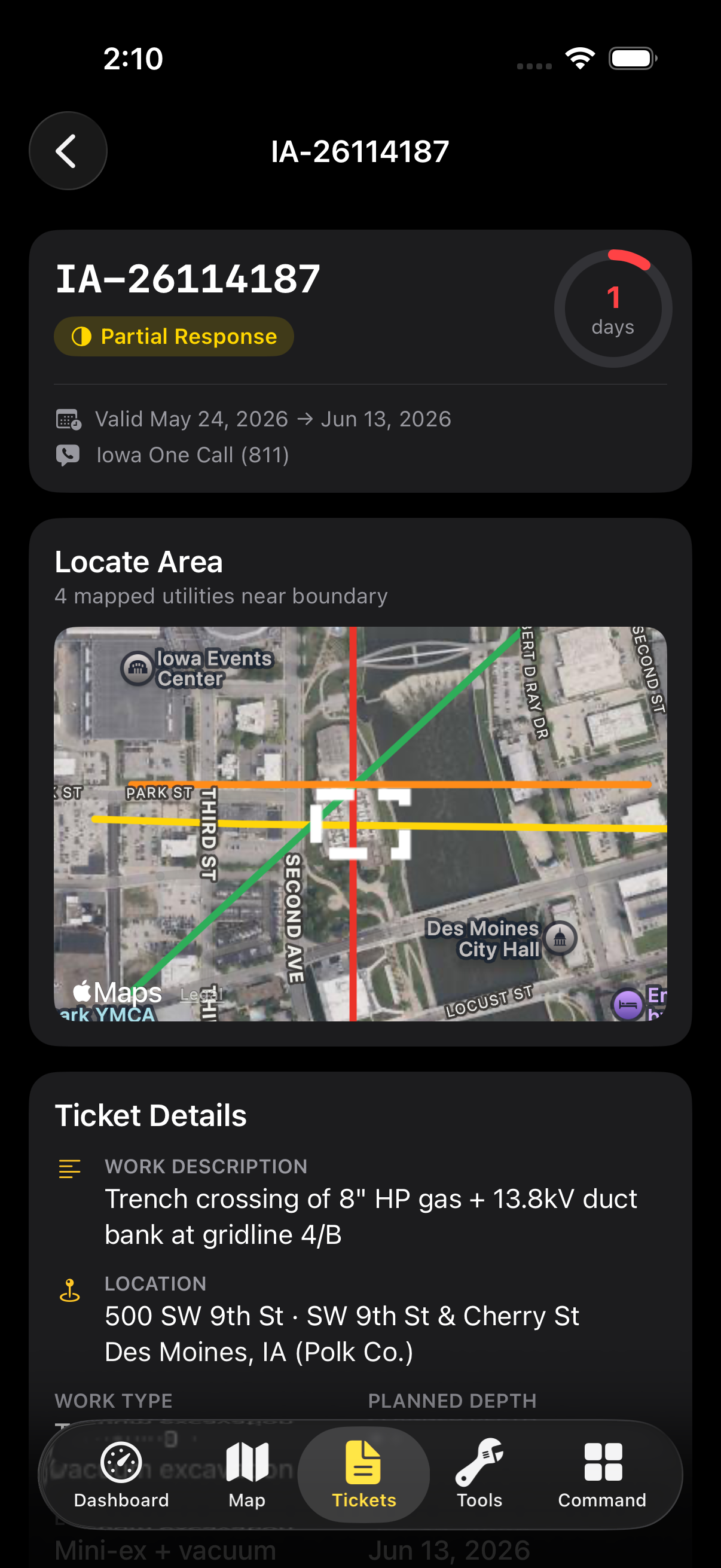
Drafting an 811 ticket takes one tap from the dig polygon. Then Dig It tracks what actually matters: which utilities have responded, which haven't, and when your window closes.

Draftone tap
Responsespositive-response
Renewalcountdown + alert
  • Positive-response tracking per utility — “no response yet” is shown as exactly that
  • Ticket expiration countdown with renewal prompts before the lawful window lapses
  • Every ticket lives on the map, attached to the exact dig area it covers
Dig It 811 tickets screen — ticket list with per-utility positive responses and renewal countdowns
OSHA Checklist

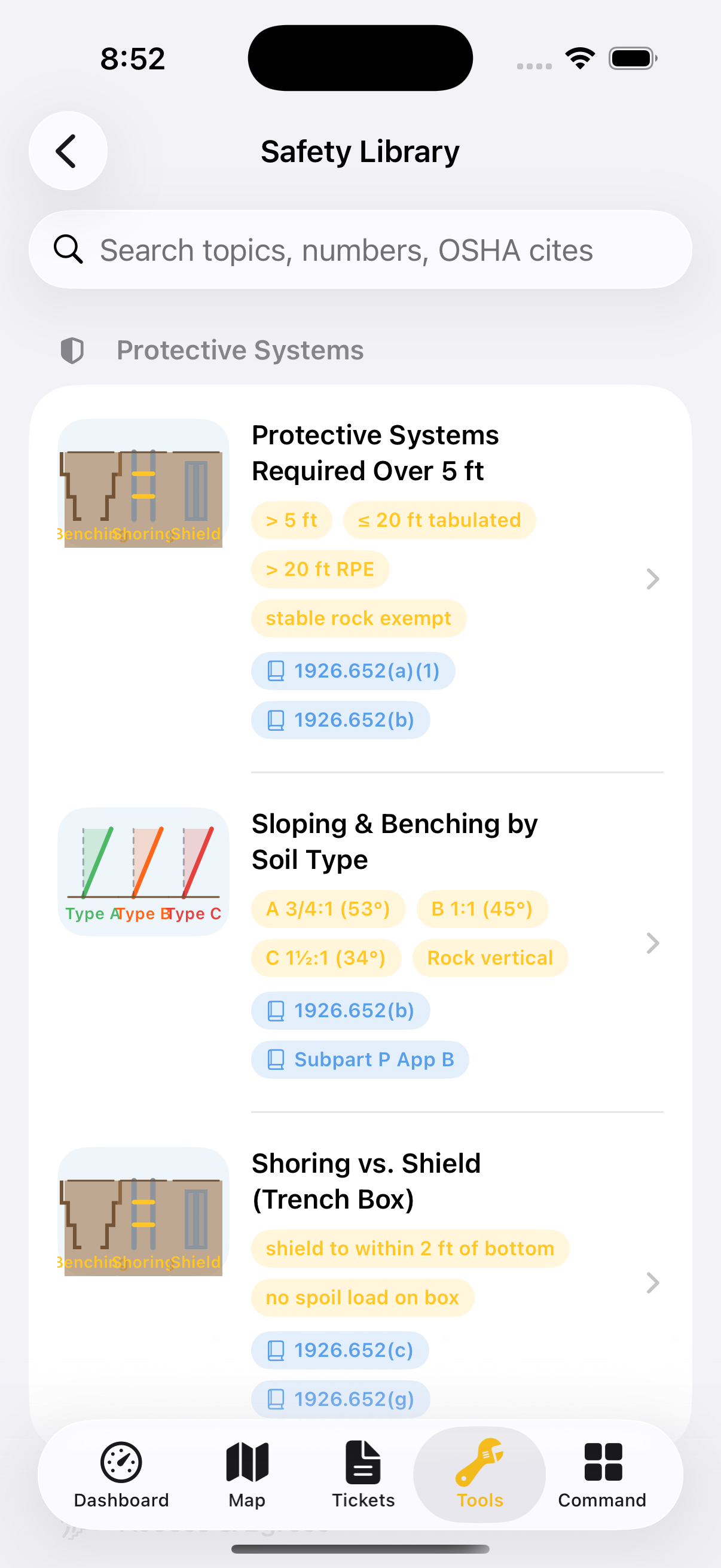
1926.651 and .652. Signed, stamped, stored.

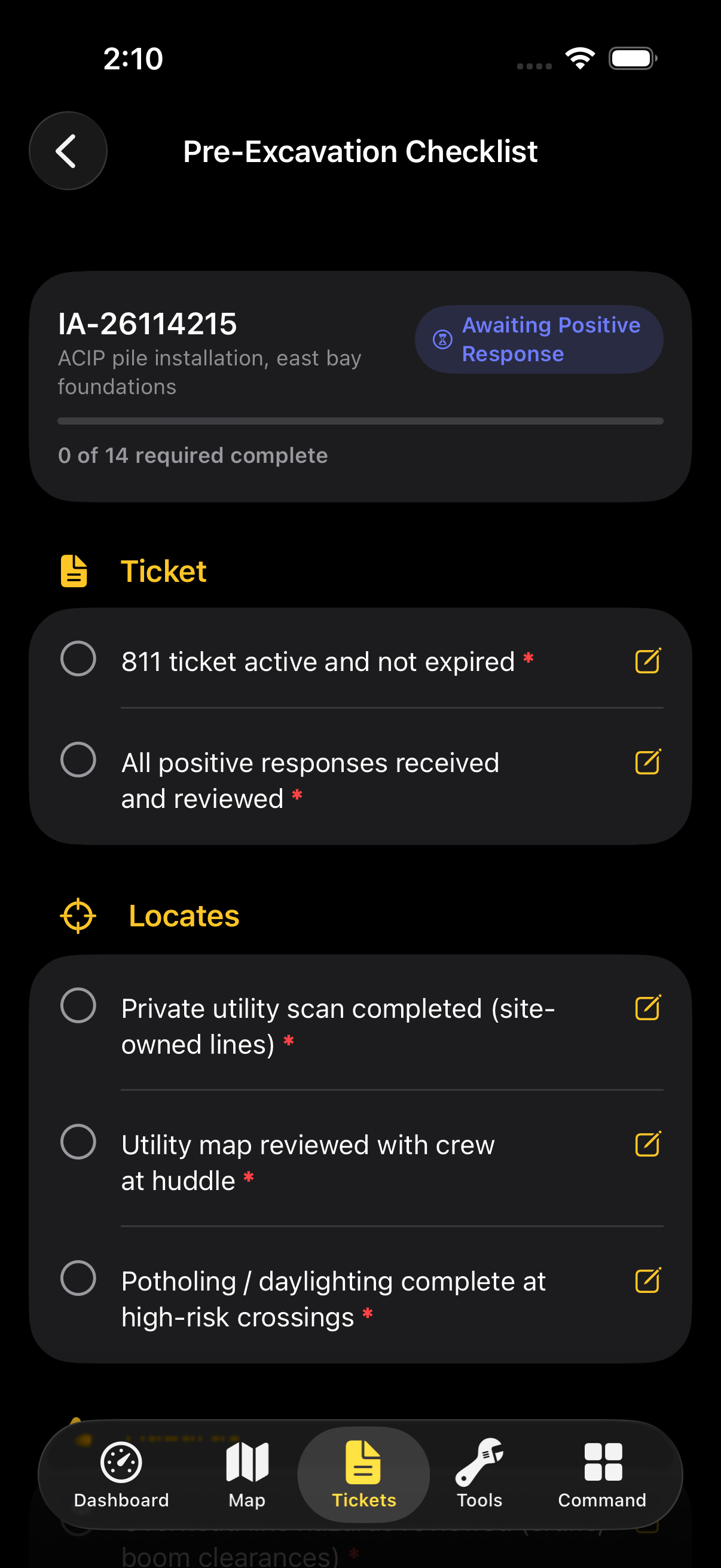
The pre-excavation checklist walks OSHA 1926.651 and 1926.652 item by item — and gates the dig until it's done. Finished checklists carry a signature and a GPS stamp, not a verbal “we're good.”

Standards1926.651 · .652
Signoffsignature + GPS
Gatingblocks the dig
  • Competent-person items called out explicitly — name attached, time attached
  • Incomplete checklist? The excavation stays flagged as not cleared. Period.
  • Signature and GPS coordinates captured at the moment of signoff
Dig It OSHA pre-excavation checklist — 1926.651/.652 items with signature and GPS signoff
Risk Intelligence

A score you can argue with.

Every dig area gets a risk score built from visible factors — utility density, ticket status, soil, weather, history. Cross the stop-work threshold and Dig It says stop. It never says go.

Scorefactor breakdown
Thresholdstop-work
Plansdig sequencing
  • Every factor in the score is visible and inspectable — no black-box verdicts
  • A stop-work threshold that escalates to the super instead of quietly suggesting
  • Suggested dig sequencing orders the work from lowest-risk cut to highest
Dig It risk intelligence screen — risk score with factor breakdown and stop-work threshold
Crane Safety AR

Swing zones you can stand outside of.

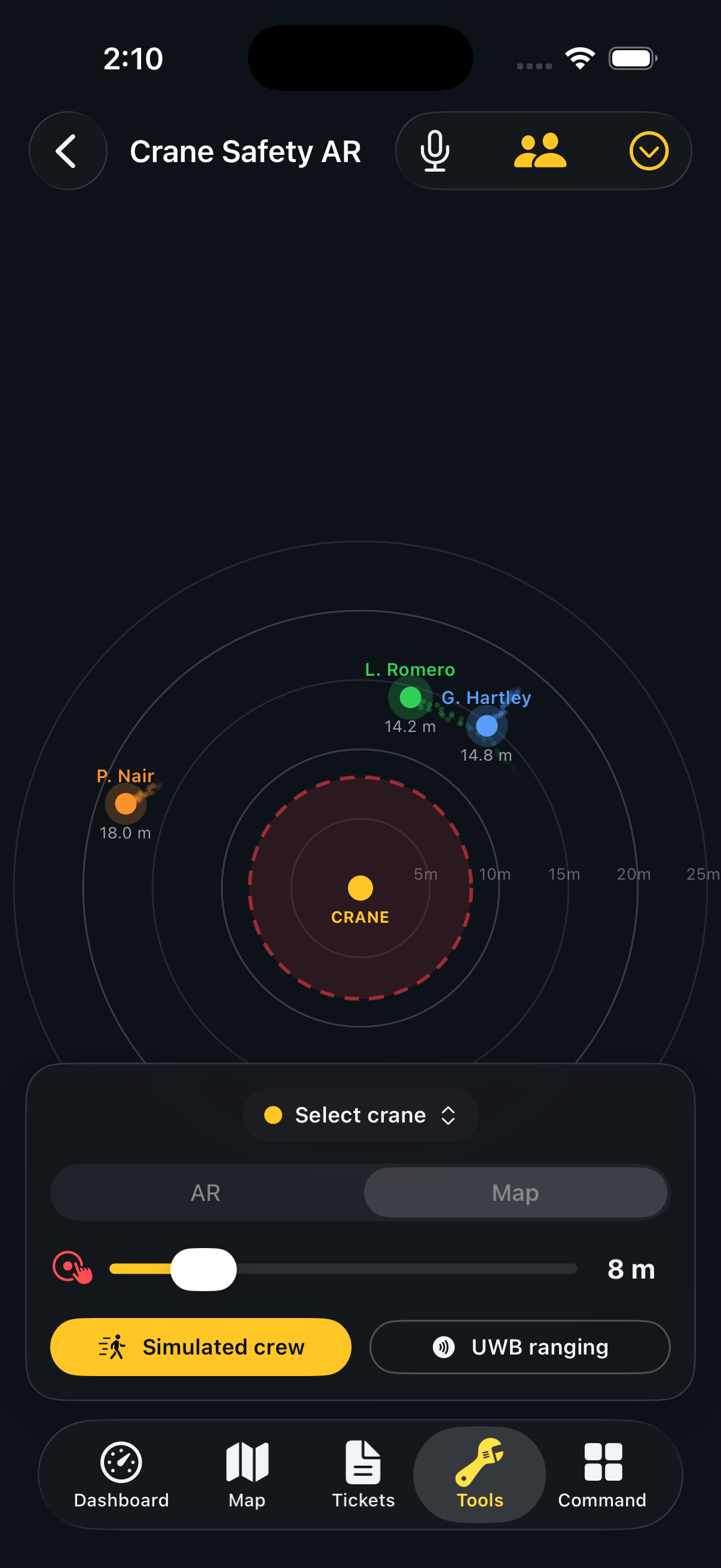
Point the camera at the pick and Dig It draws the swing zone in AR. Live UWB tracking shows where every badged rigger is standing — inside or outside the line — in real time.

ZonesAR swing radius
Trackinglive UWB
Crewcert profiles
  • Swing-zone overlays rendered on the live jobsite, not a paper lift plan
  • UWB precision tracks riggers to the meter — alerts fire when someone drifts in
  • Certification profiles per crew member — expired cert, flagged before the lift
Dig It Crane Safety AR — augmented-reality swing zone with live UWB rigger positions
Report Center

Paper trail, minus the paper.

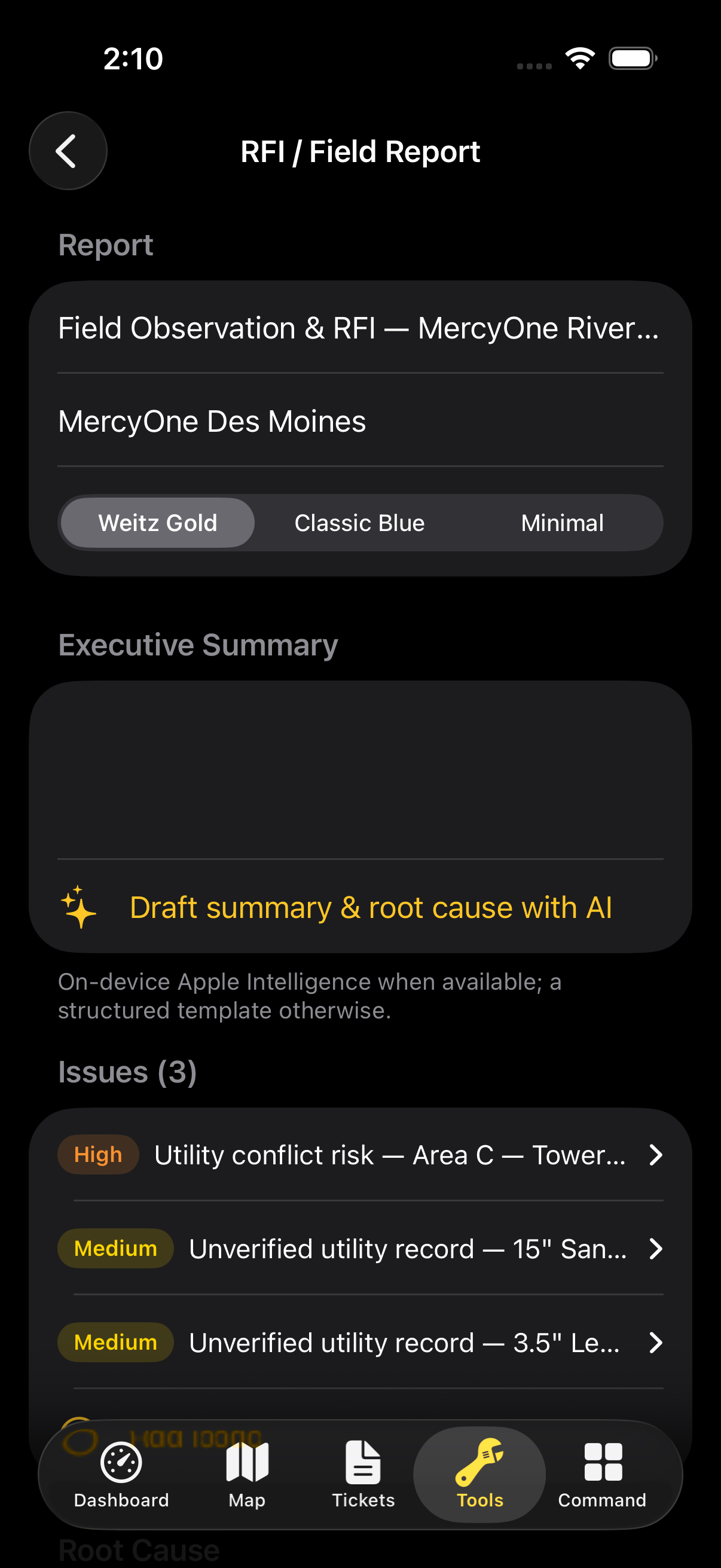
Every ticket, checklist, score, and signoff rolls up into an RFI-grade PDF — generated on the phone, signed by the client, filed before the crew leaves the gate.

OutputRFI-grade PDF
Signoffclient signature
Builton-device
  • One report carries the whole evidence chain — ticket to signoff, timestamped
  • Client signs on the glass; the signature is embedded in the PDF
  • Generated offline, synced when the truck finds signal again
Dig It report center — RFI-grade PDF field report with client signoff
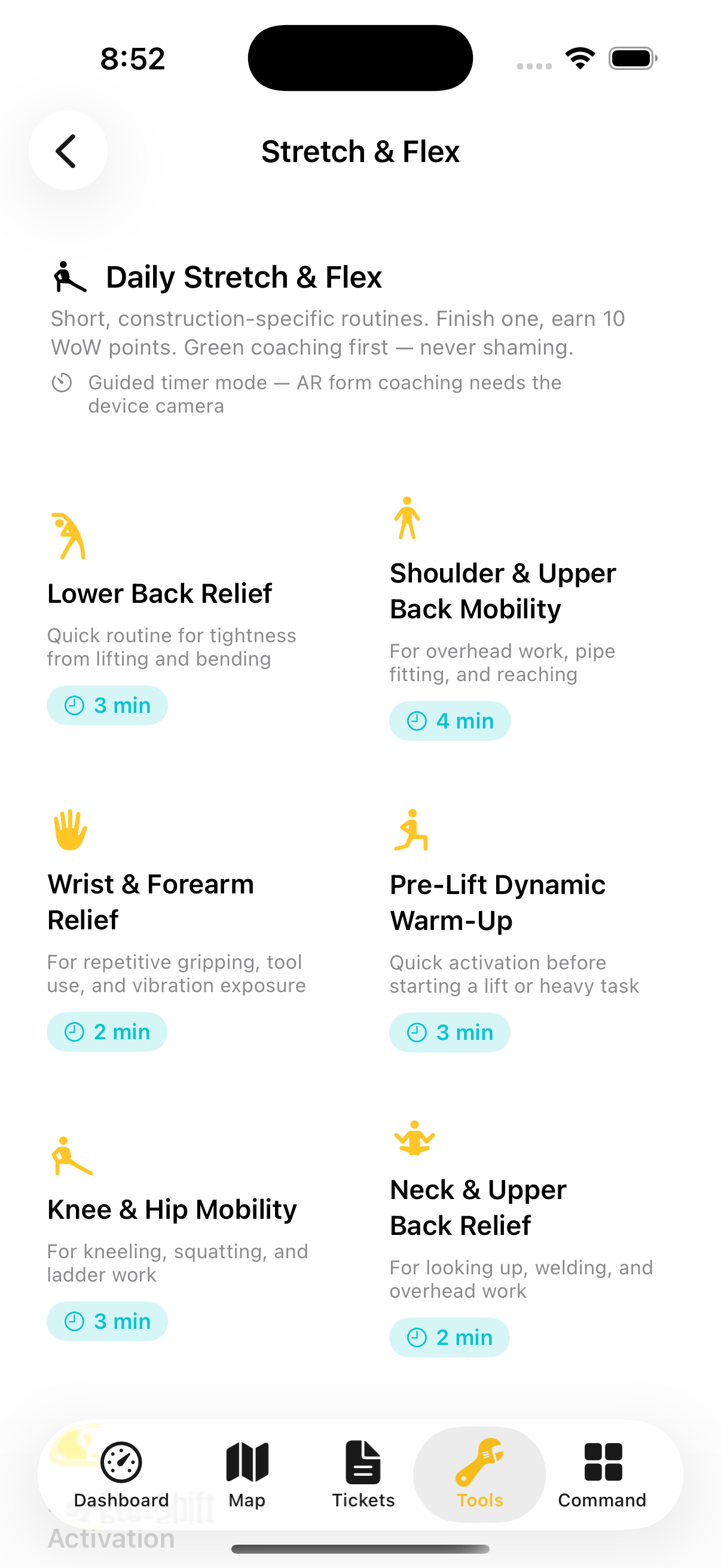
Guided walkthrough

Let the nail do the talking.

Rusty walks the whole site in seven stops — map, tickets, checklist, risk, crane — with his own commentary. Voice on or off, your call.

Rusty, the Dig It mascot

Seven stops. No sales pitch.

“I've been on jobsites since 1987. I'll show you what this app actually does, and I won't once tell you you're safe — that's not my job, and it's not the app's either.”

Single-tenant · Your build

Built for contractors.

Dig It ships as a single-tenant build per contractor — your data, your branding, your rules. Run the pilot on your jobsite; your crews come next.

One tenant

A build that's yours alone

No shared database, no co-mingled projects. Each contractor gets a dedicated deployment — your sites, your tickets, your evidence chain, sealed off from everyone else's.

Your umbrella

Subs under your roof

Invite subcontractors into your tenant with scoped roles and approval gates. They work inside your rules — every action attributed, every signoff gated by people you chose.

Audit-ready

Evidence by default

Tickets, checklists, scores, and signatures accumulate into an audit trail without anyone doing extra paperwork. When the inspector asks, the answer is already a PDF.

Bring Dig It to your crews
Under the hood

Field-grade engineering.

Built on the newest Apple stack, designed for the oldest jobsite problem: no signal, no patience, no room for error.

On-device AI

Apple FoundationModels

Line suggestions and field summaries run on the phone's neural engine. Private by architecture, working long after the signal dies.

iOS 26

Liquid Glass UI

The newest Apple design system, tuned for gloves, glare, and dust — legible at arm's length in full sun.

UWB + AR

Live rigger tracking

Ultra-wideband positioning and ARKit overlays put swing zones on the real world and riggers on the map — to the meter.

Offline-first

Site-server sync

Everything works at the bottom of the hole. Data syncs to the site server when connectivity returns — never the other way around.

Reports

PDF report engine

RFI-grade documents rendered on-device — evidence chain, signatures, and GPS stamps composed into a file the office can't argue with.

Co-pilot

Rusty, twice over

In the app he speaks through AVSpeech, fully offline. On this site he runs on Anthropic's Claude — same foreman, different wiring.

Rusty the rusty-nail mascot waving, wearing a yellow hard hat and rigging gloves
Meet Rusty

Forged in 1987. Bent twice.
Never struck a line.

“I'm not here to tell you it's fine. I'm here to show you the ticket.”

Rusty is Dig It's field co-pilot — a galvanized old nail who's been stepped on, hammered sideways, and left out in the rain, and learned something from every one of it. He narrates the tour, answers questions, and reads the evidence out loud so the crew doesn't have to squint.

Forged1987
Benttwice
Strikeszero lines
Voicegravel · 60-grit
Pilot program · iOS 26

Dig in. Carefully.

Dig It is in private TestFlight with a pilot contractor. Request access for your crews — or just come argue with Rusty about trench boxes.

Request TestFlight access